
Why Switching to Linux Can Be Easier Than You Think
Moving from Windows to Linux might seem daunting at first, especially if you're used to a specific desktop environment and a set of applications. However, the transition doesn't have to be as difficult as it appears. While some applications you rely on may not be available, there are distributions that make the shift much smoother. One such option is AnduinOS, a relatively new Linux distribution that offers an experience that feels familiar to Windows users while still providing the flexibility and power of Linux.
Based on Ubuntu, But With Improvements
AnduinOS is built on top of Ubuntu, which gives it a solid foundation. Ubuntu is known for being user-friendly, making the setup process straightforward and the overall system feel intuitive. AnduinOS comes in two versions: an LTS release, which is based on Ubuntu’s long-term support branch, and a more experimental version with the latest features. The latter is what I’ve been using, and I've found it to be quite stable and functional.
One of the key differences between AnduinOS and Ubuntu is its approach to software packaging. While Ubuntu has leaned heavily on Snap packages, AnduinOS instead uses Flatpak, which is more widely adopted across the Linux community. This choice makes it easier to access a wide range of applications, and the package management system is more reliable and consistent.
A Windows-Like Experience
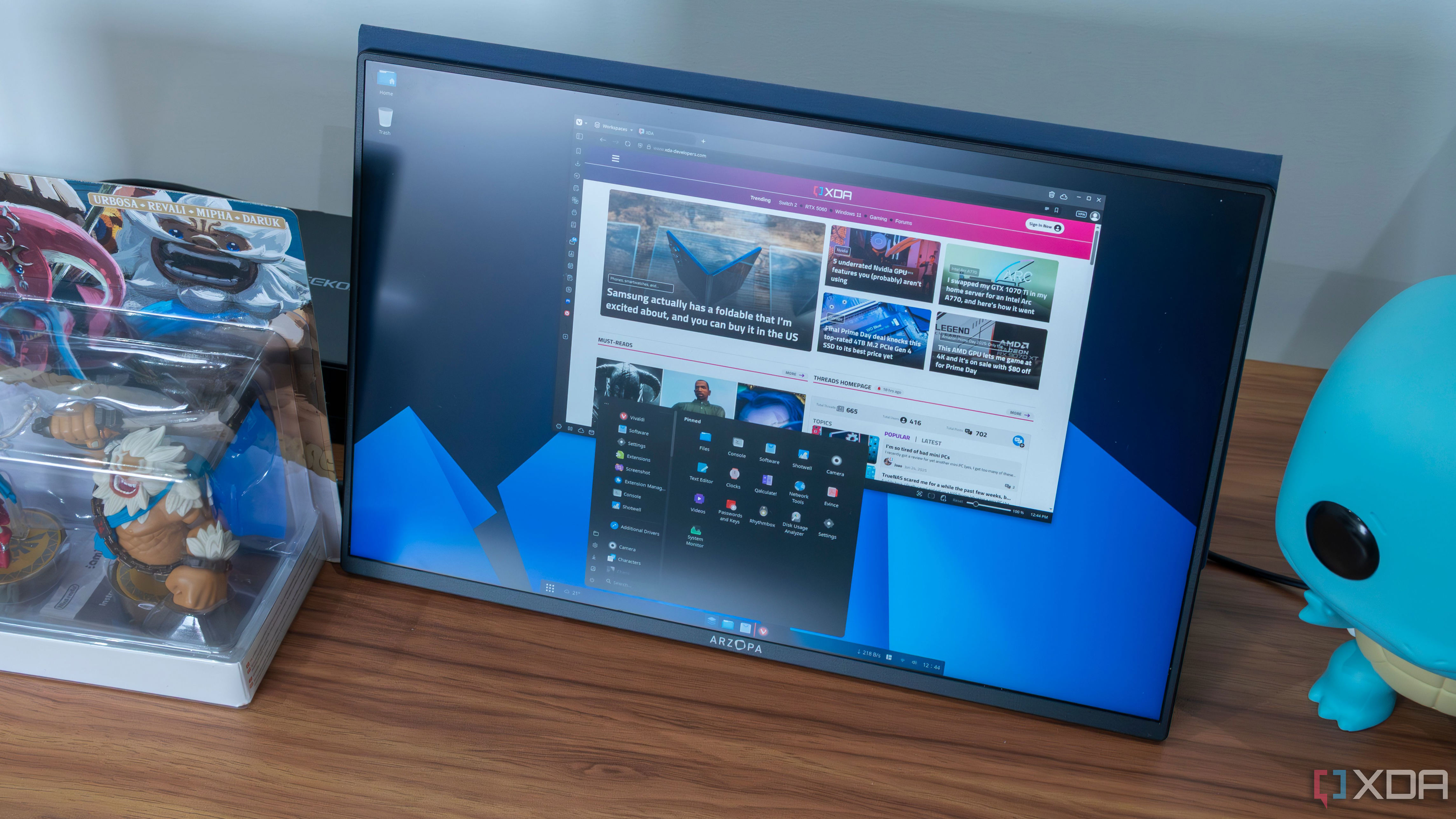
What sets AnduinOS apart is how closely it mimics the Windows 11 interface. From the moment you boot up, the desktop background and color scheme are designed to resemble Windows 11. But it's not just about aesthetics — the entire user experience feels familiar. Through the use of GNOME extensions, AnduinOS replicates many of the core elements of Windows, including a taskbar that looks and functions similarly to the one in Windows 11.
The Start menu is another standout feature. It's designed to look like the Windows 11 Start menu but is even more responsive and fluid. There are also small details, such as blurring the desktop background when the taskbar is active, making desktop icons behave more like windows, and adding a tiling assistant that works like Snap Assist on Windows. These touches make the transition feel seamless.
Customization Options That Go Beyond Windows
While the initial experience is reminiscent of Windows, AnduinOS also offers a high degree of customization. The taskbar, powered by the Dash to Panel extension, allows users to adjust its appearance and behavior. You can change the size, position, and even enable autohide, giving you control over how the taskbar interacts with your workflow.
The Start menu, known as Arc Menu, is equally customizable. It offers multiple layouts, allowing you to choose between different styles that mirror Windows 10 or 11. You can tweak the layout, adjust the size of panels, and even customize which apps are pinned. This level of flexibility goes beyond what Windows offers, even with third-party tools.
Taking Customization Further with GNOME Extensions
AnduinOS also supports GNOME extensions, which allow for even more personalization. For example, I replaced the default Clipboard Indicator with Clipboard History for a smoother experience, added Emoji Copy to bring back the emoji panel, and used Tiling Shell to manage open windows more efficiently. These extensions enhance the user experience and make AnduinOS even more powerful.
A Great Choice for Windows Users
For anyone considering switching from Windows to Linux, AnduinOS could be the perfect solution. It combines the familiarity of a Windows-like interface with the flexibility and customization options that Linux is known for. Whether you're looking for a smooth transition or a way to explore Linux without sacrificing comfort, AnduinOS offers a compelling alternative. It's not just a great operating system for Windows converts — it's also an excellent introduction to the world of Linux.